Posts

Showing posts with the label InformaticWorld

Expert Session on Kubernetes/ Openshift and it's Industrial usecase.

Image
  Before getting into industry, for sailing smoothly from academic to industry, it's very important have some knowledge about industry, how things works in industry, industrial use case. Just because of  Mr. Vimal Daga  sir and  Mrs. Preeti Daga  ma'am, I got this opportunity. On 01 March 2021  , they  arranged Industry Expert Practical Demo Session on Openshift/ kubernetes. Two of the best expert Redhatters of the industry  Mr. Amel Mathai  and  Mr. Daleep bais  they taught and showed use cases and industrial need. Introdution of speakers for the session, they both are Redhat experts :-  ➡️   ”Mr. Amel Mathai" (Technical Delivery Manager, Redhat Training ) "Mr. Amel is world's First Ansible certified professional and also working in Redhat from more than 12 years now." ➡️  ”Mr. Daleep Bais" (Senior Technical Instructor, RedHat Technologies) Mr. Daleep's consulting experience is primarily on Redhat's PaaS and sto...
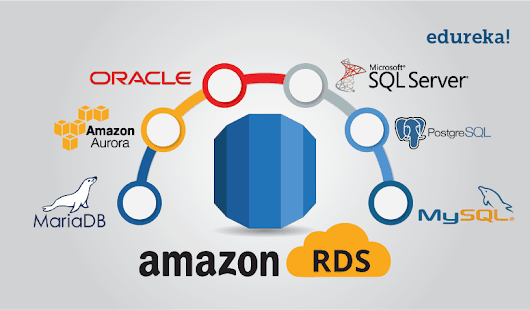
WordPress on the top of EC2 instance and AWS RDS

Image
There are few steps you need to follow to Launch WordPress on the top of AWS EC2 instance and AWS RDS for databases :  1. Create an AWS EC2 instance   2.  Configure the instance with Apache Webserver.   3. Install php  4.  Download php application name "WordPress".  5.  Setup a MySQL server using AWS RDS service.  6.  Provide the endpoint/connection string to the WordPress application. 1.  Launch EC2 instance : So first we need to launch EC2 instance and in that instance we will configure our webserver. For this, to check how to launch instance in AWS step by step, go through my this blog: AWS - Create EBS, Launch instance and attach 2.  Configure the instance with Apache Webserver : Install apache web server using this command :  yum install httpd 3. Install php :   Because WordPress is a website written in php, we need to install php. And for this we need to install php version 7.4 that is compatible ...

Chat Server using UDP

Image
  Create Chat Server  Specifications : Use Socket Programming Use UDP Data Transfer protocol Create server and receiver both Use multi-threading to get and receive data parallely Now creating Chat Server with above given specifications. This is the code for Chat Server using UDP protocol and using Socket programming. Here same program can send receive messege both at the same time. I've used multi-threading concept to send and receive data parallely from multiple Server sides. These are the two servers that I used for my chat server - chatApp : And using multi-threading , i sent data parallely from two servers. one from Linux and another one from windows : Hope you liked it :)

Expert practical Demo Session on ANSIBLE and it's Industrial usecase.

Image
Before getting into industry, for sailing smoothly from academic to industry, it's very important have some knowledge about industry, how things works in industry, industrial use case. Just because of Mr. Vimal Daga sir and Mrs. Preeti Daga ma'am, I got this opportunity. On 28 Dec 2020  , they  arranged Industry Expert Practical Demo Session on Ansible. Two of the best expert Redhatters of the industry Sreejith Anujan  and Arun  Eapen CISSP, RHCA, RHCSS, RHCDS, RHCVA  they taught and showed use cases and industrial need. Lets know two of the best experts of the industry -> Mr. Sreejith Anujan & Mr. Arun Eapen .👨‍💻 ➡️ "Sreejith Anujan" ,  The Principal Instructor at Red Hat  ▪️ Primarily responsible for empowering Red Hat customers with tailor-made enablement services.  ▪️Also heading the designing and delivering high-quality content on integrated solutions and trusted partners across APAC, ANZ, and APJ. ▪️Connected with RedHat for aroun...

NETWORK TOPOLOGY

Image
In this blog I'm going to create a  network Topology Setup in such a way that System A can  ping to two Systems System B and System C but both these systems should not be pinging each other without using any security rule e.g firewall etc . Every body thinks that in a network topology, if System A can ping to B and System B can ping to C, then it's obvious that system C can ping system A. But NO, Not Always... So in this blog, I'm going to show you how to create such topology. And believe me, doing this is so simple. It's just a game of netmask and routing table. Let's jump to the practical : System A : 1. Change the ip and netmask of system A to 192.168.1.20/16 2. Then add network range in the routing table .      Here I've selected the range such that it can ping to both of my other system. 3. By using route -n command, you can check the routing table  of System. 4. Using ifconfig enp0s3 command, you can check the ip of the system . System B : 1. C...

NETWORKING : Create a setup so that you can ping GOOGLE but not able to ping FACEBOOK from same system

Image
In this blog I'm going to show you how to create a setup that can ping some specific websites. Here I'm creating a setup that can ping GOOGLE but not able to ping FACEBOOK from same system. Believe me it's so simple, it's just a game of networking and routing table. What is routing table? A table is maintained by the internal router called as  Routing table . It helps the internal router to decide on which interface the data packet should be forwarded.   Routing table consists of the following three fields - IP Address of the destination subnet Subnet mask of the subnet Interface Let's see how to create such setup: 1. Check the ip address and netmask of the system. 2. Here you can see I'm able to ping Google and Facebook . 3. Check the ip of google.     Here i've used nslookup command to check the ip. 4. Delete the Internet Gatewaty for all Ip. 5. Then add rule in routing table according to google's ip so that google's ip will come in that range...