Posts

Showing posts with the label AWS

ANSIBLE: Haproxy Configuration over AWS using Ansible
Image
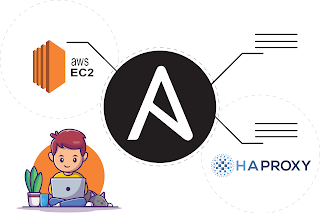
  CONFIGURATION OF HAPROXY  USING ANSIBLE OVER AWS Lets configure Reverse Proxy that is  Haproxy  using ansible Playbook. Check this blog to know more about Haproxy :  ANSIBLE : Configuration of Haproxy As every server has a hard coded limit . At one point in time, only limited clients can connect to the web server. If more clients try to connect, the will get some error. That's why we are using  Load Balancer.  Here we want to achieve  high availability  and  extra security  for our web server using haproxy. But the problem is that, if we need to add more servers, we can add them by adding their IP in inventory file and run the playbook. But  how Load balancer will come to know that more servers have been added???? For this we will have to manually update the configuration file of Haproxy. And manually updating is not good as we are using ansible. So the solution is, we can use  JINJA  language to write code in ...

AWS SQS

Image
 AWS SQS Amazon Simple Queue Service (SQS)  is a managed message queue service offered by Amazon Web Services (AWS). It is a distributed queue system that enables web service applications to quickly and reliably queue messages that one component in the application generates to be consumed by another component where a queue is a temporary repository for messages that are awaiting processing.  Using SQS, you can send, store and receive messages between software components at any volume without losing messages. W h at is  message queue  ( MQ)? Message queueing is a method by which process (or program instances) can exchange or pass data using an interface to a system-managed queue of messages. Messages can vary in length and be assigned different types or usages. A message queue can be created by one process and used by multiple processes that read and/or write messages to the queue. For example, a server process can read and...

WordPress on the top of EC2 instance and AWS RDS

Image
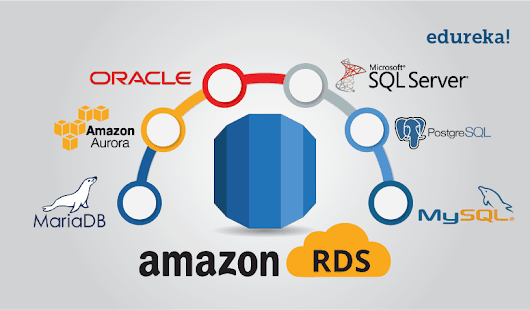
There are few steps you need to follow to Launch WordPress on the top of AWS EC2 instance and AWS RDS for databases :  1. Create an AWS EC2 instance   2.  Configure the instance with Apache Webserver.   3. Install php  4.  Download php application name "WordPress".  5.  Setup a MySQL server using AWS RDS service.  6.  Provide the endpoint/connection string to the WordPress application. 1.  Launch EC2 instance : So first we need to launch EC2 instance and in that instance we will configure our webserver. For this, to check how to launch instance in AWS step by step, go through my this blog: AWS - Create EBS, Launch instance and attach 2.  Configure the instance with Apache Webserver : Install apache web server using this command :  yum install httpd 3. Install php :   Because WordPress is a website written in php, we need to install php. And for this we need to install php version 7.4 that is compatible ...

Industrial Use Case of KUBERNETES

Image
WHAT IS KUBERNETES ? Kubernetes is a cluster management system for managing containerized applications across multiple hosts, providing mechanisms for deployment, maintenance, and scaling of applications. It groups containers that make up an application into logical units for easy management and discovery. Kubernetes builds upon years of experience at Google running production workloads at scale using a system called  Borg , combined with best-of-breed ideas and practices from the community. Google released Kubernetes in 2014, donated it as a seed technology for the founding of the  Cloud Native Computing Foundation  in 2015, and continues actively using and developing the project. Kubernetes Master The Kubernetes master is the primary control unit for the cluster. The master is responsible for managing and scheduling the workloads in addition to the networking and communications across the entire cluster. These are the components that run on the master: Etcd Storage ...

Automation Using Python

Image
  Welcome to my menu program This program contains fully automated technologies that can be run directly in any flavor of linux operating system This menu program contains some great technologies like : 1. Amazon Web Services (AWS) 2. Big Data Hadoop 3. LVM partition technique 4. Web Server 5. Yum  6. Docker This menu-driven program is built in python that can be useful in automation of above mentioned technologies. 1. Amazon Web Services (AWS) Using this menu program, you can do following things : - AWS key pairs      - Describe key pair     - create key pair     - Delete key pair - EC2 instance     - Create Instance     - Describe Instance     - Start Instance     - Stop Instance     - Reboot Instance     - Terminate Instance - Create AWS security group - EBS volume     - Create EBS volume     - Attach EBS volume     - Detach EBS volume     ...